پرو ASP.NET Core Identity: زیرپوست احراز هویت و مجوز در برنامههای ASP.NET Core 5 و 6
Pro ASP.NET Core Identity : Under the Hood with Authentication and Authorization in ASP.NET Core 5 and 6 Applications
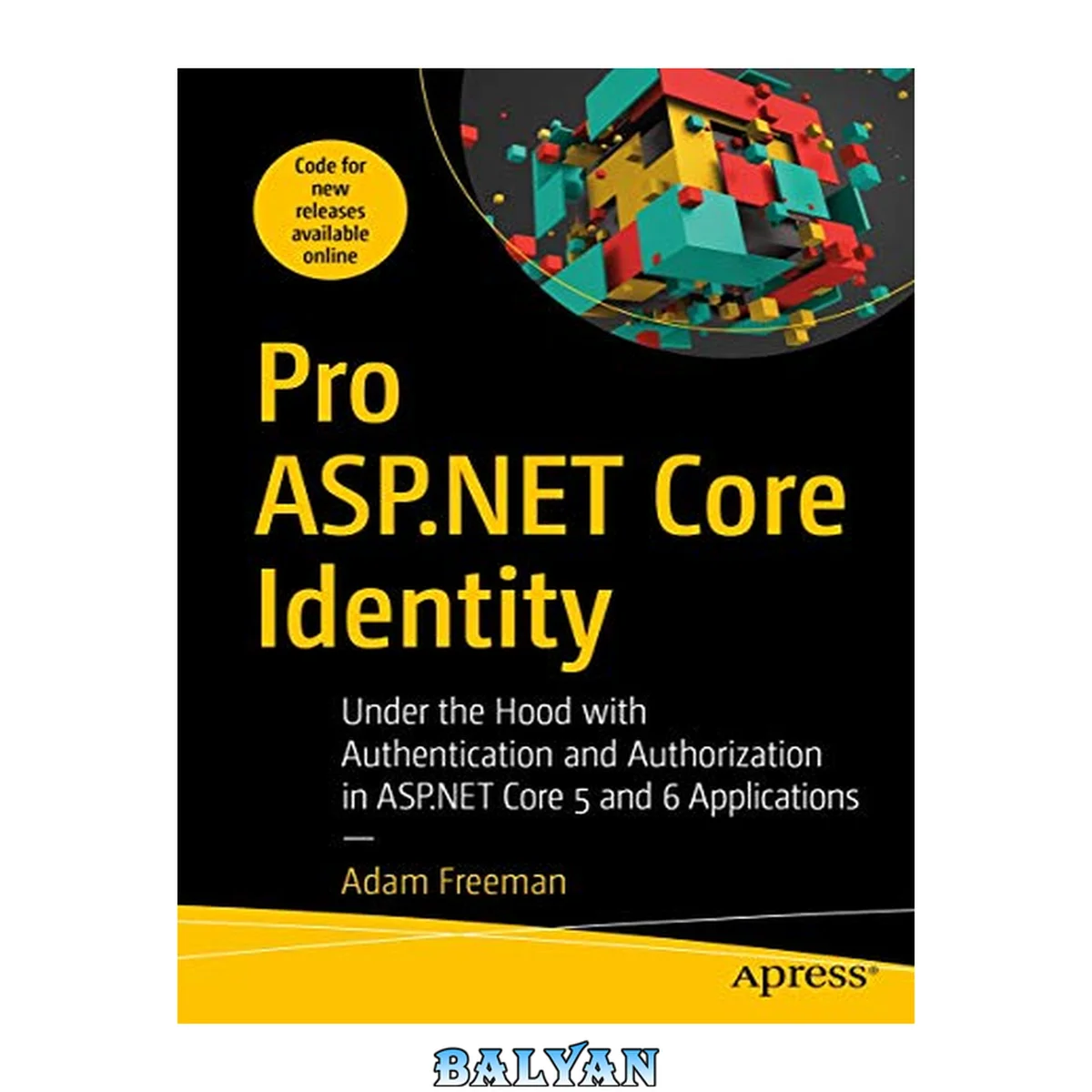
معرفی کتاب «پرو ASP.NET Core Identity: زیرپوست احراز هویت و مجوز در برنامههای ASP.NET Core 5 و 6» (با عنوان لاتین Pro ASP.NET Core Identity : Under the Hood with Authentication and Authorization in ASP.NET Core 5 and 6 Applications) نوشتهٔ Adam Freeman، منتشرشده توسط نشر Apress در سال 2021. این کتاب در 746 صفحه، فرمت pdf، زبان انگلیسی ارائه شده است. «پرو ASP.NET Core Identity: زیرپوست احراز هویت و مجوز در برنامههای ASP.NET Core 5 و 6» در دستهٔ برنامهنویسی قرار دارد.
Get the most from ASP.NET Core Identity. Best-selling author Adam Freeman teaches developers common authentication and user management scenarios and explains how they are implemented in applications. He covers each topic clearly and concisely, and the book is packed with the essential details you need to be effective. The book takes a deep dive into the Identity framework and explains how the most important and useful features work in detail, creating custom implementations of key components to reveal the inner workings of ASP.NET Core Identity. ASP.NET Core Identity provides authentication and user management for ASP.NET Core applications. Identity is a complex framework in its own right, with support for a wide range of features, including authenticating users with services provided by Google, Facebook, and Twitter. What You Will Learn \* Gain a solid understanding of how Identity provides authentication and authorization for ASP.NET Core applications \* Configure ASP.NET Core Identity for common application scenarios, including self-service registration, user management, and authentication with services provided by popular social media platforms \* Create robust and reliable user management tools \* Understand how Identity works in detail Who This Book Is For Developers with advanced knowledge of ASP.NET Core who are introducing Identity into their projects. Prior experience and knowledge of C#, ASP.NET Core is required, along with a basic understanding of authentication and authorization concepts. Table of Contents About the Author About the Technical Reviewer Part I: Using ASP.NET Core Identity Chapter 1: Getting Ready What Do You Need to Know? What Is the Structure of This Book? Part 1: Using ASP.NET Core Identity Part 2: Understanding ASP.NET Core What Doesn’t This Book Cover? What Software Do I Need for the Examples? How Do I Set Up the Development Environment? What If I Have Problems Following the Examples? What If I Find an Error in the Book? Are There Lots of Examples? Where Can You Get the Example Code? How Do I Contact the Author? What If I Really Enjoyed This Book? What If This Book Has Made Me Angry and I Want to Complain? Summary Chapter 2: Your First Identity Application Setting Up the Development Environment Installing the .NET SDK Installing Node.js Installing a Code Editor Installing Visual Studio Installing Visual Studio Code Installing SQL Server LocalDB Creating an Application with Identity Preparing the Project Creating the Data Model Creating and Applying the Database Migrations Configuring ASP.NET Core Identity Creating the Application Content Running the Example Application Summary Chapter 3: Creating the Example Project Creating the Project Installing the Bootstrap CSS Framework Install Entity Framework Core Defining a Connection String Creating the Data Model Creating MVC Controllers and Views Creating Razor Pages Configure the Application Creating the Database Running the Example Application Enabling HTTPS Connections Generating a Test Certificate Enabling HTTPS Enabling HTTPS Redirection Restricting Access with an Authorization Policy Applying the Level 2 Authorization Policy Applying the Level 3 Authorization Policy Configuring the Application Summary Chapter 4: Using the Identity UI Package Preparing for This Chapter Adding ASP.NET Core Identity to the Project Adding the Identity UI Package to the Project Defining the Database Connection String Configuring the Application Creating the Database Preparing the Login Partial View Testing the Application with Identity Creating a New User Account Managing an Account Completing the Application Setup Displaying Login Information Creating a Consistent Layout Configuring Confirmations Displaying QR Codes Using the Identity UI Workflows Registration Signing In and Out of the Application Using Two-Factor Authentication Recovering a Password Changing Account Details Managing Personal Data Denying Access Summary Chapter 5: Configuring Identity Preparing for This Chapter Configuring Identity Configuring User Options Configuring Password Options Configuring Sign-in Confirmation Requirements Configuring Lockout Options Configuring External Authentication Configuring Facebook Authentication Configuring ASP.NET Core for Facebook Authentication Configuring Google Authentication Configuring ASP.NET Core for Google Authentication Configuring Twitter Authentication Configuring ASP.NET Core for Twitter Authentication Summary Chapter 6: Adapting Identity UI Preparing for This Chapter Understanding Identity UI Scaffolding Preparing for Identity UI Scaffolding Listing the Identity UI Pages for Scaffolding Using the Identity UI Scaffolding Using Scaffolding to Change HTML Using Scaffolding to Modify C# Code Configuring the Account Management Pages Changing the Management Layout Adding an Account Management Page Preparing the Navigation Link Adding the Navigation Link Defining the New Razor Page Overriding the Default Layout in an Account Management Page Tidying Up the QR Code Support Doing the Scaffold File Shuffle Modifying the Razor Page Using Scaffolding to Disable Features Summary Chapter 7: Using the Identity API Preparing for This Chapter Creating the User and Administrator Dashboards Creating the Custom Base Classes Creating the Overview and Dashboard Pages Using the Identity API Processing Identity Results Querying the User Data Displaying a List of Users Viewing and Editing User Details Editing User Details Fixing the Username and Email Problem Understanding the User Store Changing the Identity Configuration Summary Chapter 8: Signing In and Out and Managing Passwords Preparing for This Chapter Adding Passwords to the Seed Data Signing In, Signing Out, and Denying Access Signing into the Application Signing Out of the Application Creating the Forbidden Page Configuring the Application Completing the User Dashboard Managing Passwords Preparing the Email Confirmation Service Performing Self-Service Password Changes Performing Self-Service Password Recovery Performing Administrator Password Changes Restricting Access to the Custom Workflow Razor Pages Summary Chapter 9: Creating, Deleting, and Locking Accounts Preparing for This Chapter Creating User Accounts Performing Self-Service Registration Confirming Self-Registered Accounts Resending Confirmation Emails Handling Unconfirmed Sign-ins Integrating Self-Service Registration Locking Out Accounts Forcing Immediate Sign-Outs Deleting Accounts Performing Self-Service Account Deletion Summary Chapter 10: Using Roles and Claims Preparing for This Chapter Using Roles Managing Roles Testing the Role Membership Restricting Access to the Identity Administrator Dashboard Populating the User and Role Store During Startup Protecting the Dashboard Role Protecting the Dashboard User Updating the Test Account Seed Code Navigating Directly to the Administration Dashboard Applying the Authorization Policy Managing Claims Making Claims Easier to Use Providing ASP.NET Core with Claims Data Using Claims Data Summary Chapter 11: Two-Factor and External Authentication Preparing for This Chapter Supporting Two-Factor Authentication Create the Two-Factor Overview Page Creating the Authenticator Setup Page Updating the User and Administrator Dashboards Signing In with an Authenticator Supporting External Authentication Services Configuring the Application Supporting Self-Service Registration an External Service Supporting Administrator Registration with an External Service Supporting Signing In with an External Service Summary Chapter 12: Authenticating API Clients Preparing for This Chapter Creating the JavaScript API Client Using Simple Authentication for JavaScript Clients Returning Status Code Responses for API Clients Authenticating API Clients Directly Preparing ASP.NET Core for Direct API Client Authentication Enabling CORS Adding Authentication to the JavaScript Client Testing the Authentication API Using Bearer Tokens Configuring ASP.NET Core for JWT Bearer Tokens Updating the API Authentication Controller Specifying Token Authentication in the API Controller Updating the JavaScript Client Testing Token Authentication Summary Part II: Understanding ASP.NET Core Identity Chapter 13: Creating the Example Project Creating the Project Installing the Bootstrap CSS Framework Configuring Razor Pages Configuring the MVC Framework Configuring the Application Testing the Application Summary Chapter 14: Working with ASP.NET Core Preparing for This Chapter Understanding the ASP.NET Core Request Flow Understanding the Endpoint Routing Middleware Authenticating and Authorizing Request Flow Understanding Claims Adding Claims to a Request Assessing Claims Improving the Authentication and Authorization Signing In and Out of the Application Defining Authorization Policy in the Endpoint Implementing the Authentication Handler Interface Configuring the Request Pipeline Moving the Sign-In and Sign-Out Code Using HTML Responses Using the Built-In Cookie Authentication Handler Summary Chapter 15: Authorizing Requests Preparing for This Chapter Creating an Authorization Reporter Creating the Report View Creating an Endpoint Configuring the Request Pipeline Understanding Policies and Requirements Defining the Custom Requirement and Handler Creating and Applying the Policy Using the Built-In Requirements Combining Requirements Restricting Access to a Specific Authorization Scheme Targeting Authorization Policies Changing the Default Authorization Policy Configuring Targeted Authorization Polices Using Named Policies Creating Named Policies Using the Policy Builder Combining Policies to Narrow Authorization Creating Policy Exceptions Applying Policies Using Razor Page Conventions Applying Policies Using MVC Framework Filters Summary Chapter 16: Creating a User Store Preparing for This Chapter Installing ASP.NET Core Identity Creating an Identity User Store Creating the User Class Creating the User Store Implementing the Data Storage Methods Implementing the Search Methods Implementing the ID and Name Methods Creating the Normalizer and Seeding the User Store Configuring Identity and the Custom Services Accessing the User Store Working with User Store Data Adding Optional Store Features Adding Support for Querying the User Store Querying the User Store Adding Support for Storing Email Addresses and Phone Numbers Using Email Addresses and Phone Numbers Adding Custom User Class Properties Validating User Data Summary Chapter 17: Claims, Roles, and Confirmations Preparing for This Chapter Storing Claims in the User Store Managing Claims in the User Store Storing Roles in the User Store Managing Roles in the User Store Understanding the Role Normalization Pitfall Confirming User Contact Data Understanding the Confirmation Process Creating the Email and SMS Service Providers Storing Security Stamps in the User Store Updating the Security Stamp Creating a Confirmation Token Generator Creating the Confirmation Workflow Summary Chapter 18: Signing In with Identity Preparing for This Chapter Signing Users In Creating the Claims Principal Factory Signing Users In Configuring the Application Signing In Users with Passwords Updating the User Class Creating the Password Hasher Storing Password Hashes in the User Store Signing In to the Application with Passwords Managing Passwords Changing and Recovering Passwords Resetting Passwords Integrating the Password Features Validating Passwords Adding Custom Password Validation Setting Passwords Administratively Summary Chapter 19: Creating a Role Store Preparing for This Chapter Creating a Custom Role Store Creating the Role Class Creating the Role Store Implementing the Data Storage Methods Implementing the Name Methods Implementing the Search Methods Making the Store Queryable Seeding the Role Store and Configuring the Application Managing Roles Validating Roles Creating a Custom Role Validator Enforcing Role Consistency Storing Claims with Roles Extending the Role Class Extending the Role Store Extending the Claims Principal Factory Seeding the Role Store with Claims Managing Claims Displaying Claims Summary Chapter 20: Lockouts and Two-Factor Sign-Ins Preparing for This Chapter Enabling Lockouts Extending the User Class Enabling Lockouts in the User Store Managing Account Lockouts Configuring Lockouts Displaying a Lockout Notification Restricting Signing In to Confirmed Accounts Using Two-Factor Authentication Updating the User Class Extending the User Store to Support Two-Factor Authentication Managing Two-Factor Authentication Signing In with Two Factors Creating the Two-Factor Token Generator Configuring the Token Generator and Cookie Authentication Handler Changing the Password Sign-In Process Supporting the Second Factor Forgetting the Client Testing Two-Factor Sign-In Restricting the Scope of Remembered Clients Defining an Authorization Failed Landing Page Creating the Page and Action Filters Applying the Filter to a Page Testing the Full Two-Factor Requirement Summary Chapter 21: Authenticators and Recovery Codes Preparing for This Chapter Using an Authenticator Extending the User Class Storing Authenticator Keys in the User Store Managing Authenticator Keys Enabling Authenticators in Two-Factor Sign-Ins Configuring the Application Creating the Seed Data Setting Up an Authenticator Using an Authenticator to Sign In Using Recovery Codes Storing Recovery Codes Seeding the Data Store Managing Recovery Codes Using Recovery Codes to Sign In Summary Chapter 22: External Authentication, Part 1 Preparing for This Chapter Preparing for External Authentication Implementing the Selection Phase Understanding the Preparation Phase Understanding the Authentication Phase Understanding the Correlation Phase Extending the User Store Correlating and Storing Logins Understanding the OAuth Authentication Process Preparing for External Authentication Preparing the Simulated External Authentication Controller Preparing the Authentication Handler Step 1: Redirecting to the Authentication Service URL Updating the External Authentication Controller Updating the Authentication Handler Step 2: Authenticating the User Step 3: Receiving the Authorization Code Updating the External Authentication Controller Updating the Authentication Handler Step 4: Exchanging the Authorization Code for an Access Token Updating the External Authentication Controller Updating the Authentication Handler Step 5: Requesting User Data from the Authentication Service Updating the External Authentication Controller Updating the Authentication Handler Completing the External Authentication Process Summary Chapter 23: External Authentication, Part 2 Preparing for This Chapter Storing Authentication Tokens Creating the Simulated External API Controller Extending the User Class Extending the User Store Managing Authentication Tokens Storing External Authentication Access Tokens Using a Stored Authentication Token Adding Support for Real External Authentication Services Supporting Google Authentication Configuring Application Credentials Creating the Authentication Handler Configuring the Application Supporting Facebook Authentication Obtaining Application Credentials Creating the Authentication Handler Configuring the Application Simplifying the Sign-In Process Updating the Sign-In Page Creating the Password Page Adding a GET Handler Method for External Authentication Restricting Additional External Authentication Summary Index Learn how to get the most out of ASP.NET Core Identity. ASP.NET Core Identity provides authentication and user management for ASP.NET Core applications. In the world of ASP.NET development, Identity is a complex framework in its own right, with support for a wide range of features, including authenticating users with services provided by Google, Facebook, and Twitter. Best-selling author Adam Freeman teaches developers common authentication and user management scenarios and explains how they are implemented in applications. Each topic, from configuring identity to authenticators and recovery codes, is clearly and concisely presented. And in true Freeman style, each chapter is packed with the essential details you need to be effective. The book takes a deep dive into ASP.NET Core Identity and explains how the most important and useful features work, from the built-in features that can be used for simple applications, through to deep customizations for advanced projects. Structured in two complementary parts, Part I covers how to apply ASP.NET Core Identity to an ASP.NET Core project. You will learn how to set up and configure Identity, how to use the built-in Identity UI package to manage user accounts, and how to use the API to create custom workflows. In Part II, you will learn how the features in Part I are implemented, customized, and more. What You Will Learn Gain a solid understanding of how Identity provides authentication and authorization for ASP.NET Core applications Configure ASP.NET Core Identity for common application scenarios, including self-service registration, user management, and authentication with services provided by popular social media platforms Create robust and reliable user management tools Understand how Identity works in detail and best practices for using it in your projects Construct custom implementations of the interfaces that meet the needs of advanced ASP.NET Core projects This book is for developers with advanced knowledge of ASP.NET Core who are introducing Identity into their projects. Prior experience and knowledge of C#, ASP.NET Core is required, along with a basic understanding of authentication and authorization concepts. Adam Freeman is an experienced IT professional who has held senior positions in a range of companies, most recently serving as chief technology officer and chief operating officer of a global bank. Now retired, he spends his time writing and long-distance running "ASP.NET Core Identity provides authentication and user management for ASP.NET Core applications. In the world of ASP.NET development, Identity is a complex framework in its own right, with support for a wide range of features, including authenticating users with services provided by Google, Facebook, and Twitter. Best-selling author Adam Freeman teaches developers common authentication and user management scenarios and explains how they are implemented in applications ... This book is for developers with advanced knowledge of ASP.NET Core who are introducing Identity into their projects. Prior experience and knowledge of C#, ASP.NET Core is required, along with a basic understanding of authentication and authorization concepts."--Page 4 of cover
دانلود کتاب پرو ASP.NET Core Identity: زیرپوست احراز هویت و مجوز در برنامههای ASP.NET Core 5 و 6