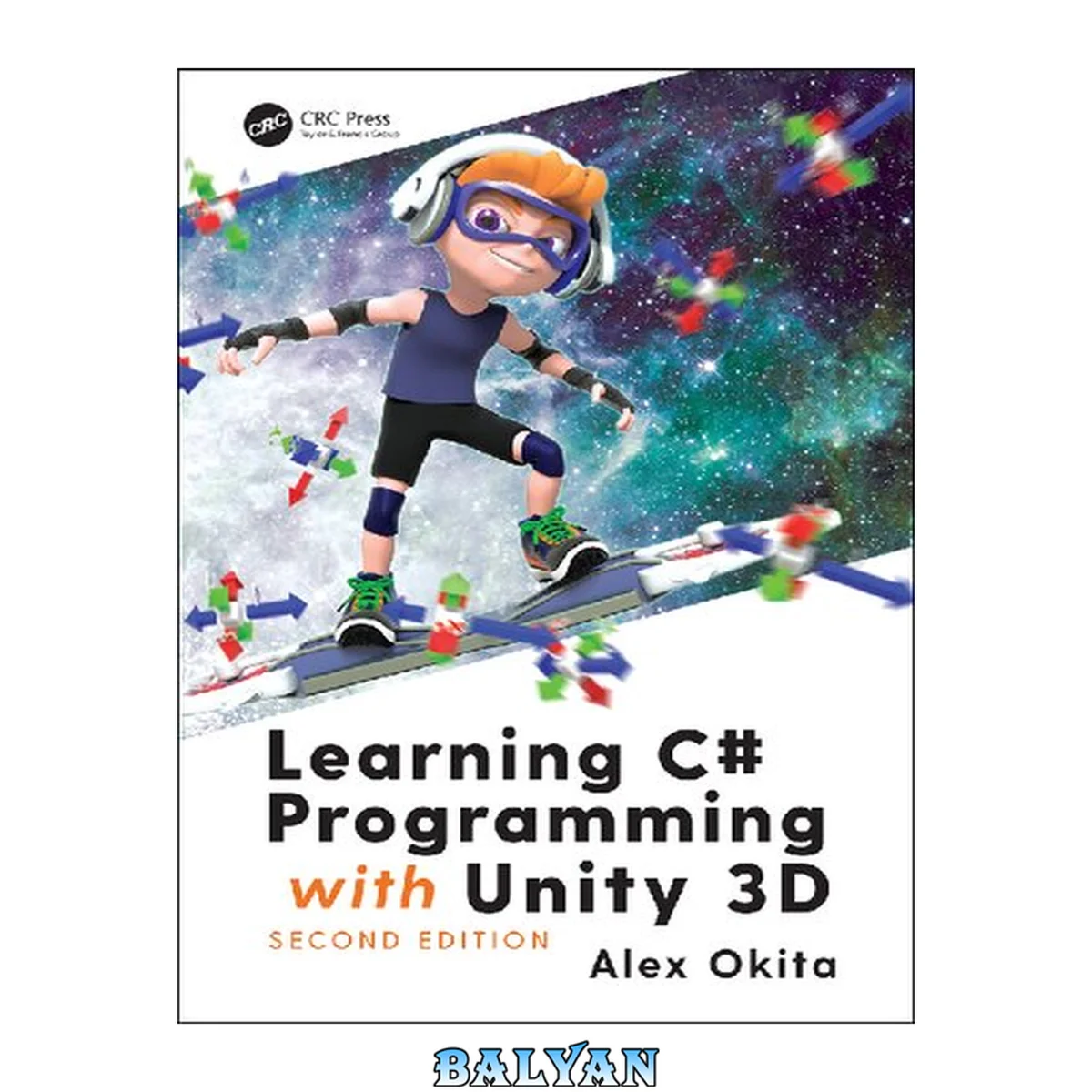
معرفی کتاب «Learning C# Programming with Unity 3D, Second Edition» نوشتهٔ Arkady Martine و Okita, Alex، منتشرشده توسط نشر A K Peters/CRC Press در سال 2020. این کتاب در فرمت pdf، زبان انگلیسی ارائه شده است.
هیچ پیشنیاز برنامهنویسی برای ورود به دنیای جذاب ساخت بازی با یونیتی وجود ندارد، بهشرط آنکه منبع درسی مناسب و گامبهگام در دسترس باشد. کتاب «Learning C# Programming with Unity 3D, Second Edition» نوشتهی الکس اوکیتا (Alex Okita)، دقیقاً همین مسیر هموار را برای مبتدیان فراهم کرده تا با زبان برنامهنویسی سیشارپ (C#) و موتور بازیسازی یونیتی (Unity 3D) آشنا شده و اولین بازیهای خود را خلق کنند.
دربارهی کتاب «یادگیری برنامهنویسی سیشارپ با یونیتی ۳ بعدی، ویرایش دوم» —
این کتاب که توسط انتشارات «ای کی پیترز/سیآرسی پرس» (A K Peters/CRC Press) منتشر شده، بهعنوان یک نقطهی شروع ایدهآل برای برنامهنویسان تازهکار طراحی شده است که هیچ تجربهی قبلی در زمینهی کدنویسی ندارند. ایدهی محوری اثر، آموزش مفاهیم برنامهنویسی از طریق پروژههای عملی و ملموس است؛ بهاینترتیب که با ساخت مکانیکهای بازی، کاربرد کدها را بهخوبی درک میکنید. نویسنده با زبانی ساده و مثالهای کوتاه و روشن، شما را از اصول ابتدایی تا ترفندهای جذاب زبان سیشارپ همراهی میکند. نسخهی دوم این کتاب، بهروزرسانیهای مهمی را نسبت به ویرایش قبلی شامل شده است که از آن جمله میتوان به آموزش جدیدترین ویژگیهای زبان سیشارپ و ابزارهای مفید کتابخانهی «داتنت» (مانند LINQ، Local Functions و Tuples) اشاره کرد. رویکرد آموزشی کتاب بهگونهای است که پس از مطالعهی آن، نهتنها میتوانید کدهای سیشارپ را در یونیتی بخوانید و بنویسید، بلکه این دانش را به سایر محیطهای توسعهای که از این زبان استفاده میکنند نیز تعمیم دهید. ساختار کتاب شامل ده فصل اصلی است که از مقدمات نصب و راهاندازی شروع شده و تا مباحث پیشرفتهتر ادامه مییابد.
دربارهی نویسنده
الکس اوکیتا (Alex Okita) بیش از بیست سال تجربه در زمینهی توسعهی بازیهای ویدئویی دارد. او فعالیت حرفهای خود را بهعنوان طراح مفهومی (Concept Artist) برای شرکت مشهور بازیسازی «بانجی» (Bungie) آغاز کرد و سپس بهعنوان هنرمند فنی (Technical Artist) در زمینهی فیلم و شرکتهای بزرگ بازیسازی به فعالیت پرداخت. مسیر شغلی اوکیتا در نهایت به برنامهنویسی با زبانهای مختلف از جمله MEL، پایتون و آنریال اسکریپت انجامید و سرانجام، زبان سیشارپ و موتور یونیتی به محیط اصلی توسعهی او تبدیل شدند. این تجربهی غنی، او را به این نیاز رساند تا به دیگران در تحقق ایدههای بازیسازی خود کمک کند.
چرا باید «یادگیری برنامهنویسی سیشارپ با یونیتی ۳ بعدی» را بخوانید؟
مسیری هموار برای مبتدیان مطلق: این کتاب برای کسانی نوشته شده که هیچ آشنایی قبلی با برنامهنویسی ندارند و از صفر شروع میکنند.
یادگیری از طریق ساخت بازی: بهجای آموزش تئوری محض، مفاهیم برنامهنویسی را در قالب پروژههای عملی و ساخت مکانیکهای واقعی بازی فرا میگیرید.
پوشش جدیدترین امکانات سیشارپ و داتنت: این نسخه بهروز است و ویژگیهای مدرنی مانند LINQ و Local Functions را پوشش میدهد که در نسخههای قدیمیتر وجود نداشتند.
کدهای مثال ساده، کوتاه و شفاف: تمام مثالهای کتاب برای درک آسان و سریع مفاهیم طراحی شدهاند و شما را با پیچیدگیهای غیرضروری مواجه نمیکنند.
قابلتعمیم به سایر محیطهای برنامهنویسی: دانشی که از این کتاب کسب میکنید، محدود به یونیتی نبوده و پایهای محکم برای کار با سیشارپ در پروژههای دیگر نیز خواهد بود.
این کتاب برای چه کسانی مناسب است؟
مخاطب اصلی این کتاب، برنامهنویسان تازهکار و افرادی هستند که هیچ پیشزمینهای در کدنویسی ندارند اما به ساخت بازیهای ویدئویی علاقهمندند. همچنین، این منبع برای دانشجویان رشتههای مرتبط با کامپیوتر که درس برنامهنویسی بازی را میگذرانند و نیز هنرمندان و طراحانی که میخواهند با جنبههای فنی موتور یونیتی آشنا شوند، بسیار مفید خواهد بود. اگر بهدنبال کتابی هستید که با مثالهای عملی، شما را از سطح مبتدی به مرحلهی ساخت بازیهای قابلاجرا برساند، این اثر انتخابی هوشمندانه است.
سوالات متداول
آیا برای استفاده از این کتاب به دانش ریاضی بالایی نیاز دارم؟
خیر، این کتاب برای مبتدیانی طراحی شده است که ممکن است دانش ریاضی قوی نداشته باشند و مفاهیم را با زبانی ساده و قابلفهم آموزش میدهد.
آیا این کتاب میتواند بهعنوان یک منبع آموزشی مستقل استفاده شود؟
بله، کتاب بهگونهای طراحی شده که میتوان آن را بهصورت خودخوان مطالعه کرد، اما برخی کاربران پیشنهاد کردهاند که برای درک عمیقتر برخی مباحث، بهتر است با منابع تکمیلی دیگر نیز همراه شود.
آیا محتوای کتاب برای موتورهای بازی دیگر نیز قابل استفاده است؟
اگرچه تمرکز اصلی بر روی یونیتی است، اما پایهی زبان سیشارپ را بهخوبی آموزش میدهد و دانش بهدستآمده را میتوان به سایر محیطهای توسعهای که از این زبان استفاده میکنند نیز تعمیم داد.
Learning C# Programming with Unity 3D, Second Edition is for the novice game programmer without any prior programming experience. Readers will learn how C# is used to make a game in Unity 3D. Many example projects provide working code to learn from and experiment with. As C# evolves, Unity 3D evolves along with it. Many new features and aspects of C# are included and explained. Common programming tasks are taught by way of making working game mechanics. The reader will understand how to read and apply C# in Unity 3D and apply that knowledge to other development environments that use C#. New to this edition: includes latest C# language features and useful tools included with the .NET library like LINQ, Local Functions Tuples, and more!Key FeaturesProvides a starting point for the first-time programmerC# Code examples are simple short and clearLearn the very basics on up to interesting tricks which C# offers Cover Half Title Title Page Copyright Page Table of Contents 1: Introduction: What This Book Is About 1.1 Why Read a Book: Why This Book May or May Not Be for You 1.1.1 Do I Need to Know Math? 1.1.2 Programming as a Form of Expression 1.1.3 Games as a Stage with Lights 1.2 Personal Information 1.3 A Brief History of Computer Programming: How Programming Came to Be 1.3.1 Mechanical Computers 1.3.2 Logic 1.3.3 Computer Science 1.3.4 The Origin of Software 1.3.5 Modern Computer Language 1.3.6 The Future of Computer Languages 1.4 C#: A Flexible Programming Language 1.4.1 C# Paradigm 1.4.2 Unity 3D: A Brief History of Game Engines 1.4.3 Why Use Unity 3D to Learn? 1.4.4 How Does Unity 3D Use C#? 1.4.4.1 How to Tell Unity 3D What to Do 1.5 What Is Programming? 1.5.1 What Does C# Look Like? 1.5.2 Learning to Copy and Paste 1.5.3 Iteration 1.6 Compiling: Turning Words into Computer Instruction 1.7 What We’ve Learned 1.8 Leveling Up: The Path Ahead 2: Before You Begin 2.1 What Will Be Covered in This Chapter 2.2 Unity 3D Installation 2.2.1 Visual Studio Installation 2.2.2 Unity Version Numbering 2.3 Git SCM Installation 2.3.1 Git-SCM.com Git Software (Optional) 2.3.2 GitHub.com Sign Up! (Also Optional) 2.3.3 Git: The Basics 2.3.4 Your First Repo 2.3.5 Before Moving On 2.4 Unity General Overview 2.4.1 The Main Window 2.4.1.1 Toolbar 2.4.1.2 Scene, Game View, and Asset Store 2.4.1.3 Hierarchy Panel 2.4.1.4 Inspector Panel 2.4.1.5 Project and Console Panel 2.4.1.6 Assets Directory 2.4.1.7 Project Settings Directory 2.4.1.8 Packages Directory 2.4.2 Git Ignore 2.4.3 What We’ve Learned 2.5 Sample Code 2.5.1 Code Fragments 2.5.2 Are Errors Bad? 2.5.2.1 Compile-Time and Run-Time Errors 2.5.3 How to Follow Along 2.5.4 Comments: A First Look 2.5.5 What We’ve Learned 2.6 Working with C#: Game Engines 2.6.1 Creating and Assigning a New C# File: Now It’s Your Turn 2.6.2 Naming Your New File 2.6.3 Using Your New File 2.6.4 Additional Unity 3D Tools 2.6.5 Working in a Live Scene 2.6.6 Saving a Scene 2.6.7 Opening a Scene 2.6.8 What We’ve Learned 2.7 Leveling Up: The Journey Has Just Begun 3: First Steps: Just Getting Started 3.1 What Will Be Covered in This Chapter 3.2 Review 3.2.1 Submitting Changes to Git 3.3 Let’s Build a Game—Part 1 3.3.1 Movement Experiments 3.3.2 Reading Programmer Documentation 3.4 Tokens 3.4.1 Writing C# 3.4.2 Comments a First Look 3.4.3 Separator Tokens 3.4.4 Operator Tokens 3.4.5 Literals 3.4.6 Transitive and Non-Transitive Operations 3.4.7 Putting It All Together 3.4.8 What We’ve Learned 3.5 Statements and Expressions 3.5.1 Expressions 3.5.2 How Unity 3D Executes Your Code 3.5.3 Thinking in Algorithms 3.5.3.1 Wash, Rinse, Repeat 3.5.4 What We’ve Learned 3.6 Keywords 3.6.1 The Class Keyword 3.6.2 What We’ve Learned 3.7 White Space 3.7.1 Code Style 3.7.2 What We’ve Learned 3.8 Code Blocks 3.8.1 What We’ve Learned 3.9 Classes: A First Look 3.9.1 Objects 3.9.2 What We’ve Learned 3.10 Variables 3.10.1 Identifiers 3.10.2 Data 3.10.3 Variable Manipulation 3.10.3.1 Declaration Placement Examples 3.10.4 Dynamic Initialization 3.10.5 What We’ve Learned 3.11 Variable Names 3.11.1 Useful Variables in Unity 3D 3.11.2 Variable Assignment 3.11.3 Putting It Together: Using the Variables 3.11.4 What We’ve Learned 3.12 Types: A First Look 3.12.1 Value and Reference Types 3.12.2 What We’ve Learned 3.13 Strong Typing 3.13.1 Dynamic Typing 3.13.2 What We’ve Learned 3.14 Type Casting, Numbers 3.14.1 Explicit versus Implicit Casting 3.14.1.1 A Basic Example 3.14.2 What We’ve Learned 3.15 Comments 3.15.1 Line Numbers 3.15.2 Code Folding 3.15.3 Summary Comments 3.15.4 Navigating in Code 3.15.5 What We’ve Learned 3.16 Leveling Up: Moving on to Basics 3.16.1 Git Revision History 4: Basics: The Building Blocks of Code 4.1 What Will Be Covered in This Chapter 4.2 Review 4.3 Building a Game—Part 1 4.3.1 Mouse Point 4.3.2 Move to Point 4.3.3 What We’ve Learned 4.4 Class Construction 4.4.1 Class Declaration 4.4.1.1 A Basic Example 4.4.1.2 Value and Reference Types 4.4.2 Adding Data Fields 4.4.3 Access Modifiers and the Dot Operator 4.4.4 Class Scope 4.4.5 Class Members 4.4.6 What We’ve Learned 4.5 Directives 4.5.1 Libraries 4.5.2 Ambiguous NameSpaces 4.5.3 What We’ve Learned 4.6 Functions 4.6.1 What Are Functions? 4.6.2 Unity 3D Entry Points 4.6.3 Writing a Function 4.6.4 More on White Space and Tabs 4.6.5 What We’ve Learned 4.7 Order of Operation: What Is Calculated and When 4.7.1 Evaluating Numbers 4.7.1.1 Math 4.7.1.2 Operator Evaluation 4.7.2 What We’ve Learned 4.8 Scope: A First Look 4.8.1 Class Scope 4.8.2 Function Scope 4.8.3 Blank Scope 4.8.4 What We’ve Learned 4.9 This 4.9.1 A Basic Example 4.9.2 When This Is Necessary 4.9.3 What We’ve Learned 4.10 Building a Game—Part 2 4.10.1 Additional Components 4.10.2 The Projectile 4.10.3 The Target 4.10.4 What We’ve Learned 4.11 Logic and Operators 4.11.1 Booleans 4.11.2 Equality Operators 4.11.3 Logical Not! 4.11.4 Greater and Less than Operators 4.11.5 Logical And and Or Operators 4.11.6 If and Branching 4.11.7 What We’ve Learned 4.12 Loops 4.12.1 Unary Operators 4.12.2 While 4.12.3 For 4.12.4 Do-While 4.12.5 Postfix and Prefix Notation 4.12.6 Using Loops 4.12.7 Loops within Loops 4.12.8 Runaway Loops 4.12.9 Breakpoints: A First Look 4.12.10 What We’ve Learned 4.13 ScopeAgain 4.13.1 Visibility or Accessibility 4.13.1.1 A Basic Example 4.13.2 Global Scope 4.13.3 What We’ve Learned 4.14 Warnings versus Errors 4.14.1 Warnings 4.14.2 Errors 4.14.3 Understanding the Debugger 4.14.4 What We’ve Learned 4.15 Leveling Up: Fundamentals 4.15.1 Style Guides 5: Fundamentals: Building a Foundation 5.1 What Will Be Covered in This Chapter 5.2 Review 5.2.1 Modular Code 5.3 Inheritance: A First Look 5.3.1 Class Members 5.3.1.1 Inheriting Members 5.3.1.2 Is-A and Has-A 5.3.2 Instancing 5.3.3 Parent Child 5.3.4 Object 5.3.4.1 A Type Is Not an Object 5.3.5 != null 5.3.6 What We’ve Learned 5.4 Instancing 5.4.1 Class Initialization 5.4.2 New 5.4.3 Constructors 5.4.4 What We’ve Learned 5.5 Static 5.5.1 A Basic Example 5.5.2 Static Variables 5.5.2.1 A Basic Example 5.5.3 Static Functions 5.5.4 Putting It All Together 5.5.5 What We’ve Learned 5.6 Building A Game—Part 3 5.6.1 The Player 5.6.2 The Mover 5.6.3 The Shooter 5.6.4 Physics Settings 5.6.5 What We’ve Learned 5.7 Jump Statements and Return 5.7.1 Return 5.7.1.1 A Basic Example 5.7.2 Returning Objects 5.7.3 A Class Is a Type 5.7.4 Tuples 5.7.5 Null Is Not Void 5.7.6 What We’ve Learned 5.8 Arrays: A First Look 5.8.1 Fixed-Sized Arrays 5.8.1.1 A Basic Example 5.8.2 Foreach 5.8.2.1 A Basic Example 5.8.3 Dynamic Initialization 5.8.4 Using the While Loop with Arrays 5.8.4.1 Setting Array Values 5.8.4.2 Getting Array Values 5.8.5 What We’ve Learned 5.9 Jump Statements: Break and Continue 5.9.1 A Basic Example 5.9.1.1 Continue 5.9.2 ZombieData 5.9.3 Foreach Again 5.9.4 What We’ve Learned 5.10 Multidimensional Arrays 5.10.1 Columns and Rows 5.10.1.1 A Basic Example 5.10.2 A Puzzle Board 5.10.3 Camera and Screen Setup 5.10.4 Checking Range 5.10.5 What We’ve Learned 5.11 Array List 5.11.1 A Basic Example 5.11.2 ArrayList.Contains() 5.11.3 Remove 5.11.4 Sort and Reverse 5.11.5 What We’ve Learned 5.12 Strings 5.12.1 Declaring a String 5.12.1.1 A Basic Example 5.12.2 Escape Sequences 5.12.3 Verbatim Strings: @ 5.12.4 What We’ve Learned 5.13 Combining What We’ve Learned 5.13.1 Timers 5.13.2 What We’ve Learned 5.14 Leveling Up: On to the Cool 6: Intermediate: The Tricks of the Trade 6.1 What Will Be Covered in This Chapter 6.2 Review 6.2.1 Class Members 6.2.1.1 A Basic Example 6.2.1.2 Thinking Like a Programmer 6.2.2 Return 6.2.2.1 A Basic Example 6.2.3 Arguments aka “Args” (Not Related to Pirates) 6.2.3.1 The Basic Example 6.2.3.2 Multiple Args 6.2.3.3 Using Args 6.2.4 Assignment Operators 6.2.4.1 A Basic Example 6.2.5 What We’ve Learned 6.3 Building a Game—Part 4 6.3.1 ChaseCamera 6.3.2 Tile Floor Generator 6.3.3 What We’ve Learned 6.4 Class Constructors 6.4.1 A Basic Example 6.4.2 What We’ve Learned 6.5 Arrays Revisited 6.5.1 Using Arrays in Unity 3D 6.5.1.1 Starting with 0 6.5.1.2 Mathf 6.5.1.3 Time 6.5.2 Instancing with AddComponent(); 6.5.3 Type Casting Unity 3D Objects 6.5.4 What We’ve Learned 6.6 Enums 6.6.1 Using Enums 6.6.2 Combining What We’ve Learned 6.6.3 What We’ve Learned 6.7 Switch 6.7.1 A Basic Example 6.7.2 Default 6.7.3 More On Cases 6.7.4 Fall Through 6.7.5 goto Case 6.7.6 Finite State Machine 6.7.7 What We’ve Learned 6.8 Structs 6.8.1 Building a Struct 6.8.2 Struct versus Class 6.8.3 Without Structs 6.8.4 Handling Structs 6.8.5 Accessing Structs 6.8.6 Global Access 6.8.7 What We’ve Learned 6.9 Class Data 6.9.1 Character Base Class 6.9.2 Const 6.9.3 Readonly 6.9.4 What We’ve Learned 6.10 Namespaces 6.10.1 A Basic Example 6.10.2 Directives in Namespaces 6.10.3 Ambiguous References 6.10.4 Alias Directives 6.10.5 What We’ve Learned 6.11 Functions Again 6.11.1 Parameter Lists 6.11.2 Side Effects 6.11.3 Multiple Arguments 6.11.4 Useful Parameters 6.11.4.1 The Rule of Three 6.11.5 Foreach versus For 6.11.6 What We’ve Learned 6.12 Unity 3D Execution Order 6.12.1 A Basic Example 6.12.2 Component Execution Order 6.12.3 What We’ve Learned 6.13 Inheritance Again 6.13.1 Function Overrides 6.13.1.1 A Basic Example 6.13.2 Class Inheritance 6.13.2.1 Sharing Common Attributes 6.13.3 Object 6.13.4 What We’ve Learned 6.14 Type Casting Again 6.14.1 ( ) versus “as” 6.14.2 User-Defined Type Conversion 6.14.3 Implicit versus Explicit Type Conversion 6.14.4 What We’ve Learned 6.15 Working with Vectors 6.15.1 Vectors Are Objects 6.15.2 Stepping through MonsterGenerator 6.15.3 Gizmos 6.15.3.1 A Basic Example 6.15.3.2 DrawRay 6.15.4 Using Gizmos 6.15.5 What We’ve Learned 6.16 goto Labels 6.16.1 Skipping Down 6.16.2 Zombie State Machine 6.16.3 This as a Reference to Yourself 6.16.4 Just for Zombies 6.16.5 What We’ve Learned 6.17 More on Arrays 6.17.1 Length and Count 6.17.1.1 A Basic Example 6.17.2 Foreach: A Reminder 6.17.3 Discovery 6.17.4 Putting It Together 6.17.4.1 Breakpoint, Observing Inheritance 6.17.5 What We’ve Learned 6.18 Out Parameter 6.18.1 A Basic Example 6.18.2 Simple Sort (Bubble Sort) 6.18.3 Simple Sort Proof 6.18.4 What We’ve Learned 6.19 Ref Parameter 6.19.1 A Basic Example 6.19.2 Code Portability Side Effects 6.19.3 What We’ve Learned 6.20 Type Casting Numbers 6.20.1 Number Types 6.20.2 Integers 6.20.2.1 Signed Numbers 6.20.3 Floating Point 6.20.4 What We’ve Learned 6.21 Types and Operators 6.21.1 GetType() 6.21.2 More Type Casting 6.21.3 Type Aliasing 6.21.4 Boxing and Unboxing 6.22 Operator Overloading 6.22.1 A Basic Example 6.22.2 Overloading* 6.22.3 Overloading 6.22.4 What We’ve Learned 6.23 Controlling Inheritance 6.23.1 Sealed 6.23.1.1 A Basic Example 6.23.2 Extension Functions 6.23.3 Abstract 6.23.3.1 A Basic Example 6.23.4 Abstract: Abstract 6.23.5 Putting This to Use 6.23.6 What We’ve Learned 6.24 Building A Game—Part 5 6.24.1 Generating Rooms 6.24.2 What We’ve Learned 6.25 Leveling Up 7: Advanced 7.1 What Will Be Covered in This Chapter 7.2 Review 7.2.1 Moving Forward 7.3 Visual Studio 7.3.1 The Debugger 7.3.2 Mono History 7.4 Function Overloading 7.4.1 A Closer Look at Functions 7.4.1.1 A Basic Example 7.4.2 Function Signature 7.4.3 Different Signatures 7.4.4 Putting It Together 7.4.5 Not Quite Recursion 7.4.6 DrawWords 7.4.7 What We’ve Learned 7.5 Accessors (or Properties) 7.5.1 Value 7.5.1.1 A Basic Example 7.5.2 Set Event 7.5.3 Read-Only Accessor 7.5.4 Simplification 7.5.5 What We’ve Learned 7.6 Base Classes: Another Look 7.6.1 Generalization—Base Classes 7.6.2 Specialization 7.6.3 Base 7.6.4 Partial 7.6.5 Protected, Private, and Public 7.6.6 What We’ve Learned 7.7 Optional Parameters 7.7.1 Using Optionals 7.7.1.1 A Basic Example 7.7.2 Optional Arguments 7.7.3 Named Parameters 7.7.3.1 A Basic Example 7.7.4 Combining What We’ve Learned 7.7.5 What We’ve Learned 7.8 Delegate Functions 7.8.1 Delegates 7.8.1.1 A Basic Example 7.8.2 Delegate Signatures 7.8.3 Stacking Delegates 7.8.4 Using Delegates 7.8.5 Updating Delegates 7.8.6 What We’ve Learned 7.9 Interface 7.9.1 Early Planning 7.9.1.1 A Basic Example 7.9.1.2 Using Accessors 7.9.2 Multiple Interfaces 7.9.3 IComparer 7.9.4 Using IComparer 7.9.5 What We’ve Learned 7.10 Class Constructors Revisited 7.10.1 A Basic Example 7.10.2 When to Create a New Class 7.10.3 What We’ve Learned 7.11 Preprocessor Directives 7.11.1 A Basic Example 7.11.2 UNITY_EDITOR 7.11.3 Mobile Development 7.11.4 Warning 7.11.5 Organizing 7.11.6 What We’ve Learned 7.12 Try Catch Finally 7.12.1 A Basic Example 7.12.2 Exception Messages 7.12.3 Custom Exceptions 7.12.4 Finally 7.12.5 Try-Catch and Finally in Use 7.12.6 What We’ve Learned 7.13 IEnumerator 7.13.1 Enumeration 7.13.1.1 A Basic Example 7.13.1.2 What Doesn’t Work 7.13.2 Implementing IEnumerator 7.13.3 What We’ve Learned 7.14 Generics 7.14.1 Generic Functions 7.14.1.1 A Basic Example 7.14.1.2 Why T? 7.14.2 Making Use of Generic Functions 7.14.3 Generic Types 7.14.4 Var 7.14.5 Multiple Generic Values 7.14.6 Anonymous Objects 7.14.7 What We’ve Learned 7.15 Events 7.15.1 A Basic Example 7.15.2 A Proper Event 7.15.3 EventArgs 7.15.4 Generic EventArgs 7.15.5 What We’ve Learned 7.16 Extension Functions 7.16.1 Extensions 7.16.2 A Basic Example 7.16.3 Overloading with Extensions 7.16.4 Magic Mirror 7.16.5 What We’ve Learned 7.17 Destructors 7.17.1 A Basic Example 7.17.2 Clearing Events or Delegates 7.17.3 OnDestroy 7.17.4 The Ugly Truth 7.17.5 What We’ve Learned 7.18 Concurrency or Co-Routines 7.18.1 Yield 7.18.1.1 A Basic Example 7.18.2 Setting Up Timers 7.18.3 Arrays of Delegates 7.18.4 Stopping a Co-Routine 7.18.5 What We’ve Learned 7.19 Dictionary, Stacks, and Queues 7.19.1 A Basic Example 7.19.2 ContainsKey 7.19.3 Stacks 7.19.3.1 A Basic Example 7.19.4 Movement Stack 7.19.5 Queues 7.19.6 What We’ve Learned 7.20 Lambda Expressions 7.20.1 Anonymous Expressions 7.20.1.1 A Basic Example—Action Func and Expression 7.20.2 Lambda Expressions 7.20.3 A Queue of Lambdas 7.20.4 What We’ve Learned 7.21 Leveling Up 8: Extended 8.1 What We’ll Be Covering in This Chapter 8.2 Review 8.3 Readability 8.3.1 ?: Notation 8.3.2 If 8.3.3 Smell 8.3.3.1 Comments 8.3.3.2 One Responsibility Rule 8.3.3.3 Duplicated Code 8.3.3.4 Naming 8.3.4 What We’ve Learned 8.4 Git Revisited 8.4.1 Git Branch and Merge 8.4.2 Merge Conflicts 8.4.3 What We’ve Learned 8.5 Recursion 8.5.1 A Basic Example 8.5.2 Understanding Recursion 8.5.3 In Practice 8.5.4 What We’ve Learned 8.6 LINQ 8.6.1 Lambdas and Arrays 8.6.1.1 A Basic Example 8.6.2 Var 8.6.3 LINQ From 8.6.4 Strange Behaviors in LINQ 8.6.5 LINQ on Lists 8.6.6 Monsters Linq 8.6.7 What We’ve Learned 8.7 Reflection 8.7.1 A Basic Example 8.7.2 Reflection MethodInfo 8.7.3 What We’ve Learned 8.8 Dynamic 8.8.1 ExpandoObject 8.8.2 Expando Reader 8.8.3 What We’ve Learned 8.9 Bitwise Operators 8.9.1 Big Endian and Little Endian 8.9.2 Signed or Unsigned 8.9.3 Bitwise Or | 8.9.4 Enums and Numbers 8.9.5 Bitwise And & 8.9.6 Bitwise Exclusive Or ^ (xor) 8.9.7 Setting Bitwise Flags 8.9.8 Bitwise Shortcuts | = and ^ = 8.9.9 Bits in Numbers 8.9.10 Bit Shifting >> and